Honeycomb

A music player that keeps up

Music 100,000 tracks
#TitleArtistAlbumTimeRatingPlays
Search 100,000 tracks. Go on, type something.
Music
Genre
Artist
Album
#TitleArtistAlbumTimeRatingPlays
Genre, then artist, then album. Click to narrow it down.
TitleTimeRatingPlays
Synced lyrics follow the song. Click a line to jump there.
Inbox
Genre
Artist
Album
#TitleArtistTimeRating
New files in folders you already scan land in the Inbox.

Honeycomb is a free, native music player for Mac and Windows. It stays quick at 100,000 tracks and brings your ratings and play counts with it.

Get the alpha

The windows you’ll live in

Rules in plain words. Rating is greater than 3.5, last played over a month ago, and Honeycomb keeps the list current as you listen.
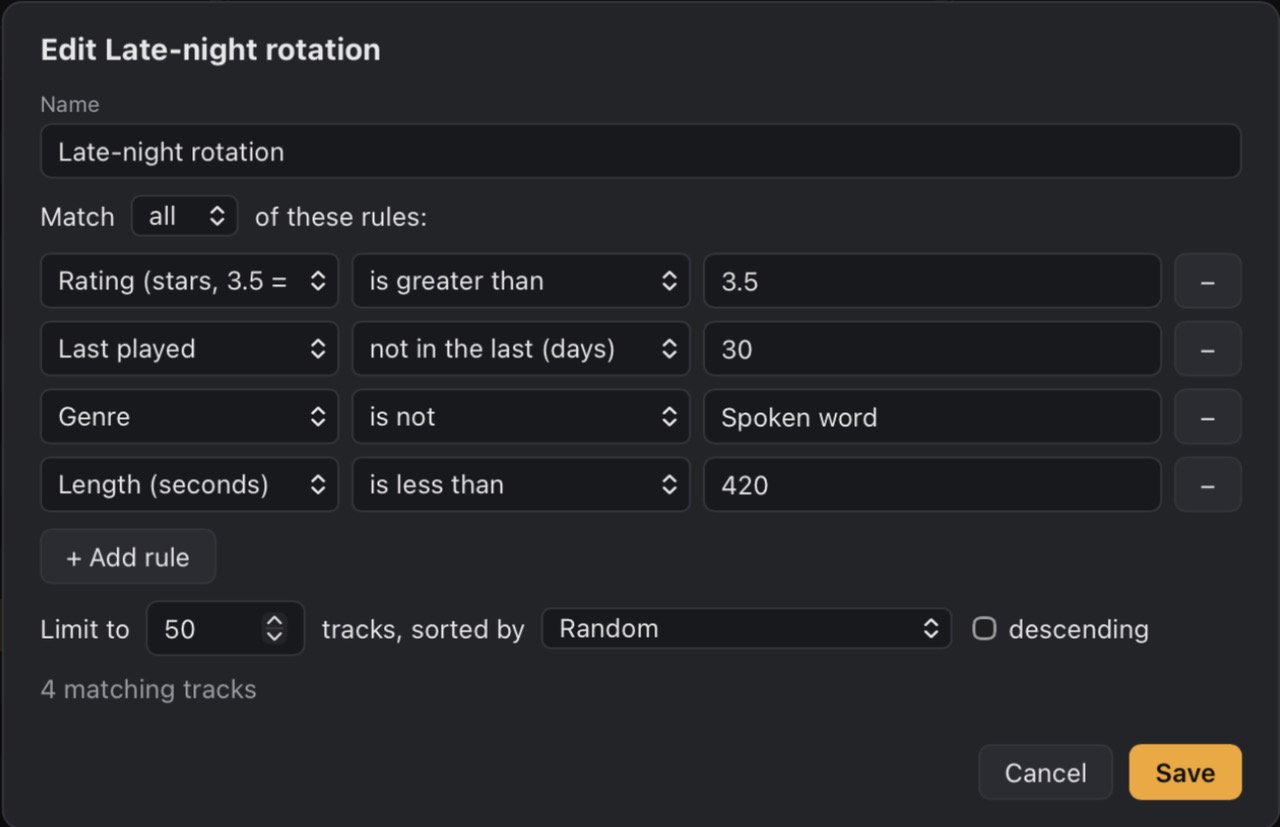
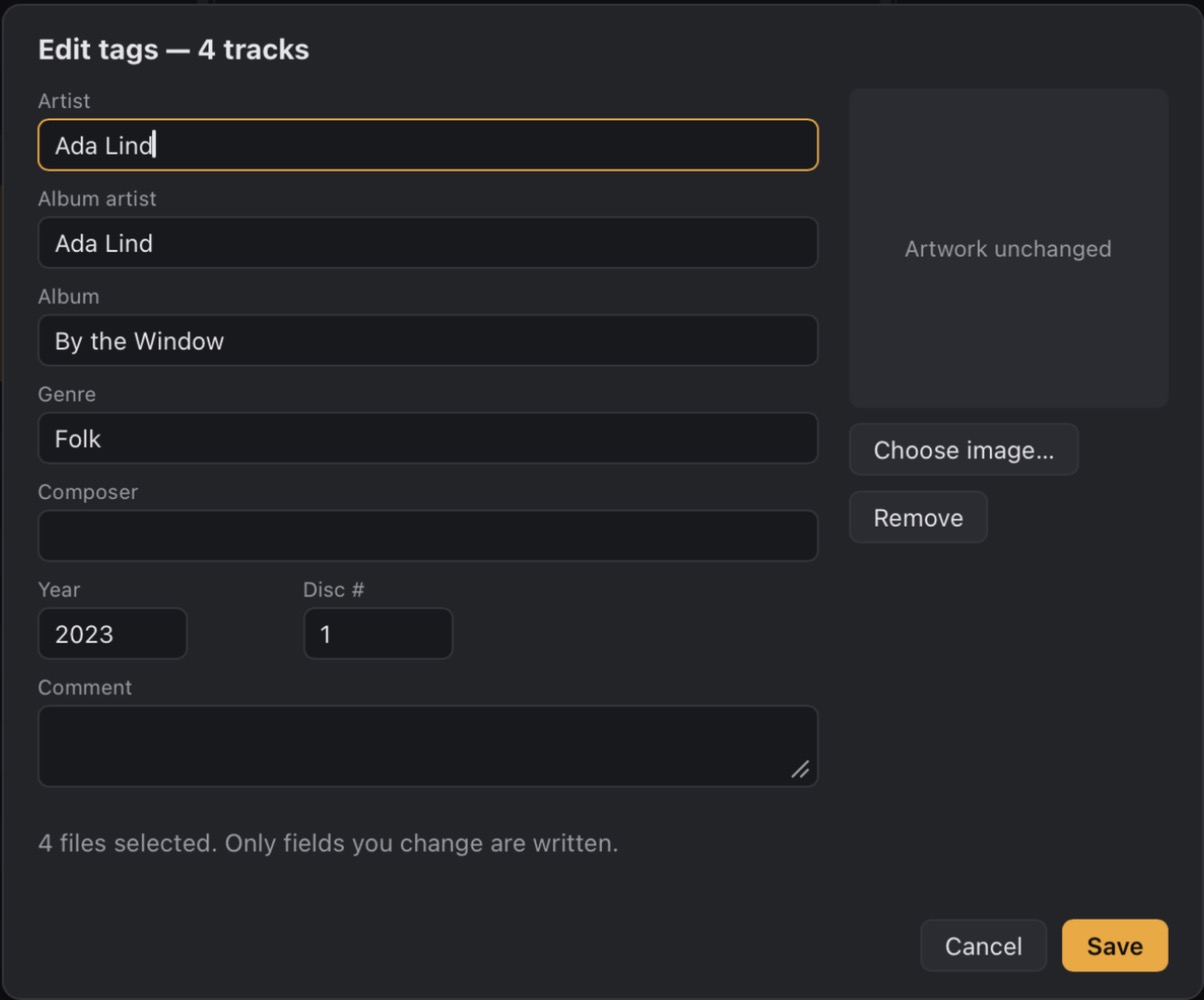
Honeycomb’s smart playlist editor for Late-night rotation: rating greater than 3.5, last played not in the last 30 days, genre is not Spoken word, length under 420 seconds, limited to 50 tracks in random order

Watch the real app run

A screen recording of Honeycomb 0.1.0 on a Mac: scrolling and searching 100,000 tracks, then picking albums and playing them.

Scrolling and search run at real speed. The pauses between clicks are trimmed.

Measured on 100,000 tracks

Every change gets timed against the same generated 100,000-track library. These are the numbers for the current build, next to the build before it.

Measured 21 October 2026 on a MacBook Pro with an M1 Pro and 16 GB, release builds, Low Power Mode on. One machine and a generated library, so treat them as a guide, not a promise.

Startup to the first list
0.95 swas 2.4 s
Sort by title
68–76 mswas 3.1–3.6 s
Search, per keystroke
62–65 mswas 230–252 ms
Rebuild the library view
142 mswas 1.5 s
Filter to one artist
65 mswas 133 ms
Memory, app and web view
196 MBwas 222 MB
CPU while idle
1–2%of one core

Built like a player should be

Kaseki, Honeycomb’s own audio engine, decodes five seconds ahead of the needle.

No gap between songs

Kaseki marks where each song ends inside its buffer, so live albums and DJ mixes run straight through.
#TitleTime
2Table for Five4:09
3Green Light3:39
The Long Room (live)6:41
1Off Kanagawa4:38
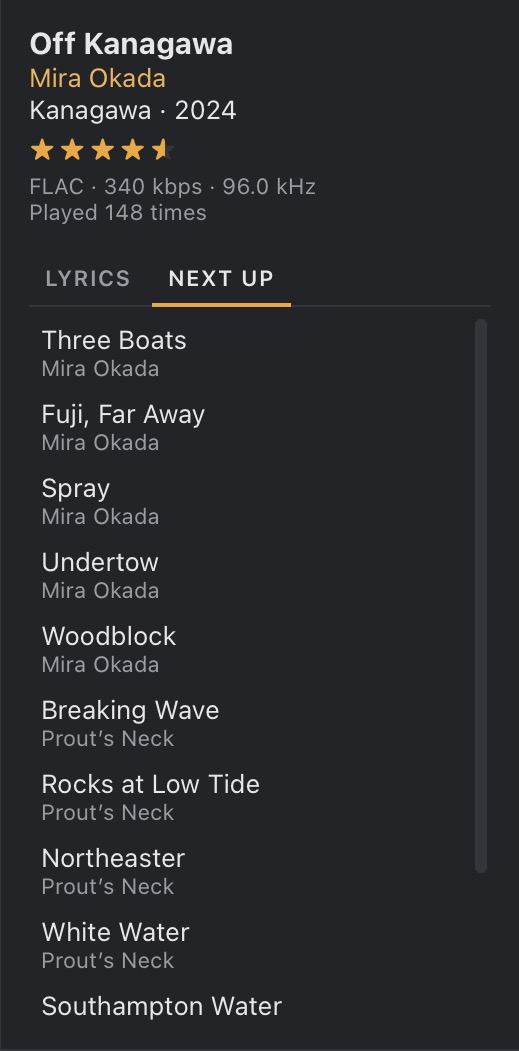
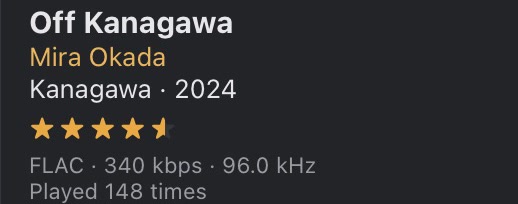
Now Playing details for Off Kanagawa: rated four and a half stars, FLAC, 340 kbps, 96.0 kHz, played 148 times

Played at its own rate

Where your output allows it, Honeycomb opens it at the song’s sample rate. Otherwise it resamples with a sinc filter.

Half stars, in the list

Rate straight from the track list. Smart playlists read the same half stars, so 3.5 means three and a half.

TitleRating
Breaking Wave
Rouge, after Midnight
By the Window
Honeycomb Centre
TitleFormatBitrate
Southampton WaterFLAC912 kbps
By the WindowM4A1041 kbps
Breaking WaveMP3320 kbps
Green LightM4A256 kbps
PatchworkOGG192 kbps
Moth LightWAV1411 kbps

Every format you own

MP3, FLAC, AAC and ALAC, Ogg Vorbis, WAV and AIFF, all gapless, with their tags read and merged.

Keys that just work

Headphone buttons, media keys and the macOS Now Playing controls reach Honeycomb from any app.

1:284:38
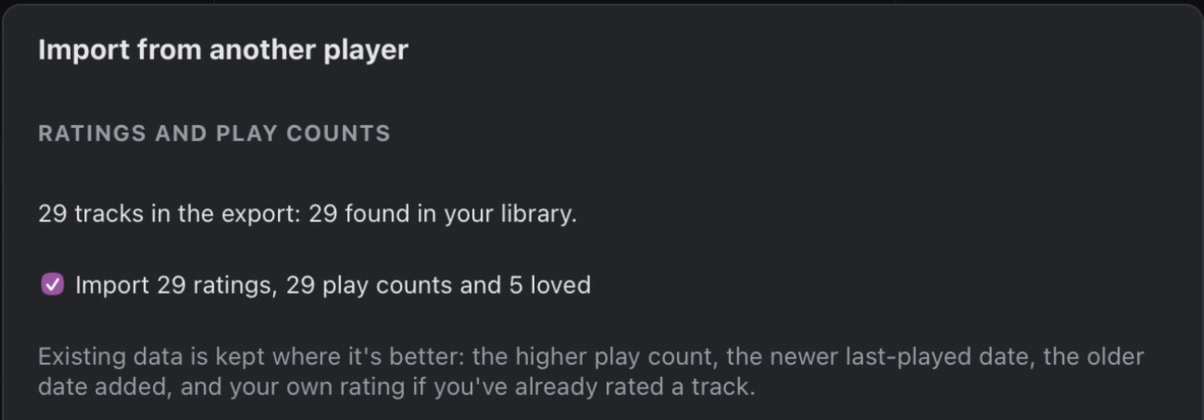
Honeycomb’s library settings: Add folder, Rescan now and Import from another player, over the line: 29 tracks in library. Honeycomb never moves or deletes your files.

Your files stay put

Honeycomb never moves or deletes your music. It writes to a file only when you press Save in the tag editor.

Kaseki, the engine underneath

Honeycomb doesn’t borrow a playback library. Kaseki is its own audio engine, written in Rust, and it does one job: get every sample from the file to your speakers on time, with nothing added and no gap between songs.

2.33% idle CPU, down from 5.86% before Kaseki, measured with a 100,000-track library on an M1 Pro.

How Kaseki works
Decodes
On its own thread, with symphonia: MP3, FLAC, AAC, ALAC, Vorbis, WAV and AIFF. If a broken file makes the decoder panic, Kaseki catches it, so it can’t take the app down.
Reads ahead
About five seconds of audio wait in a lock-free ring buffer, with a marker where each song ends, so the next one starts on the next sample.
Resamples
Only when it has to. The output opens at the file’s own rate when your device allows; otherwise a sinc resampler converts it. Surround folds down to stereo.
Plays
The output callback just copies samples and sets the volume. When headphones are unplugged, playback pauses instead of jumping to the speakers.

First, export your old library

Most desktop players can save an iTunes-format library XML. Choose it, and any M3U playlists.
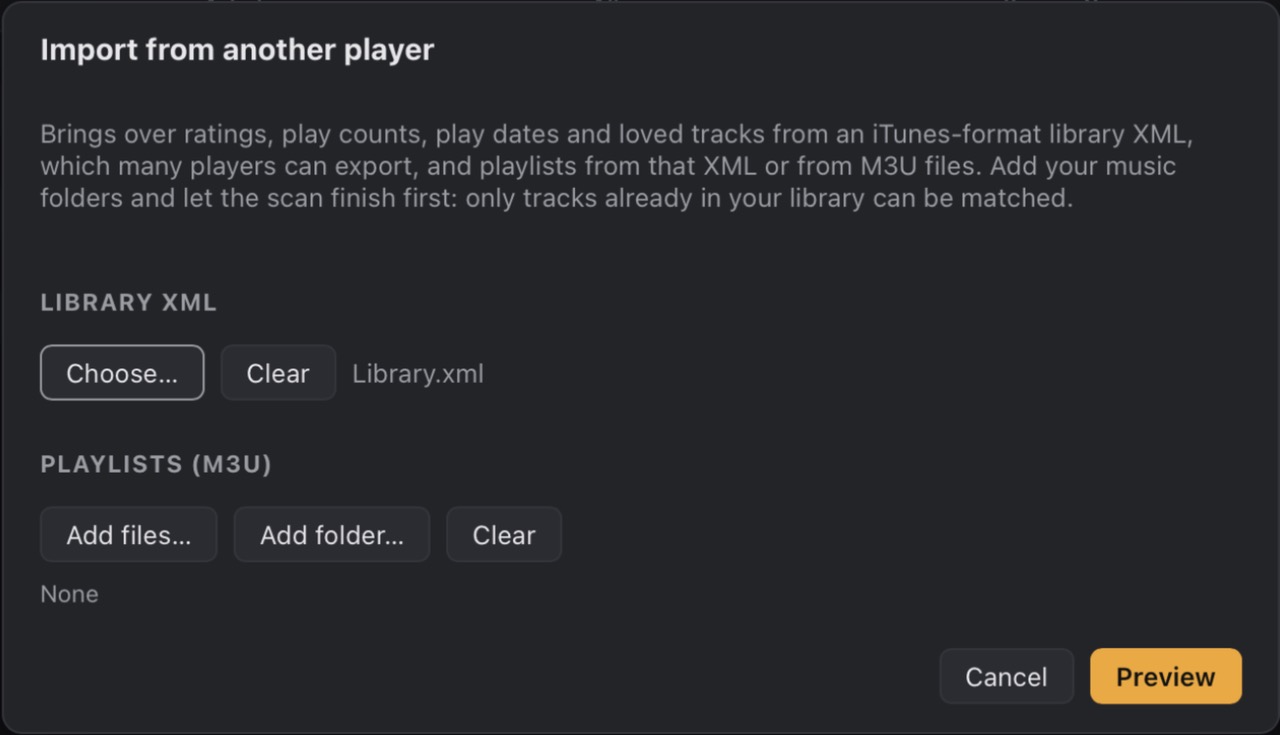
Honeycomb’s Import from another player dialog with Library.xml chosen, and buttons to add M3U playlist files or a folder
  1. Export
  2. Match
  3. Choose
  4. Done
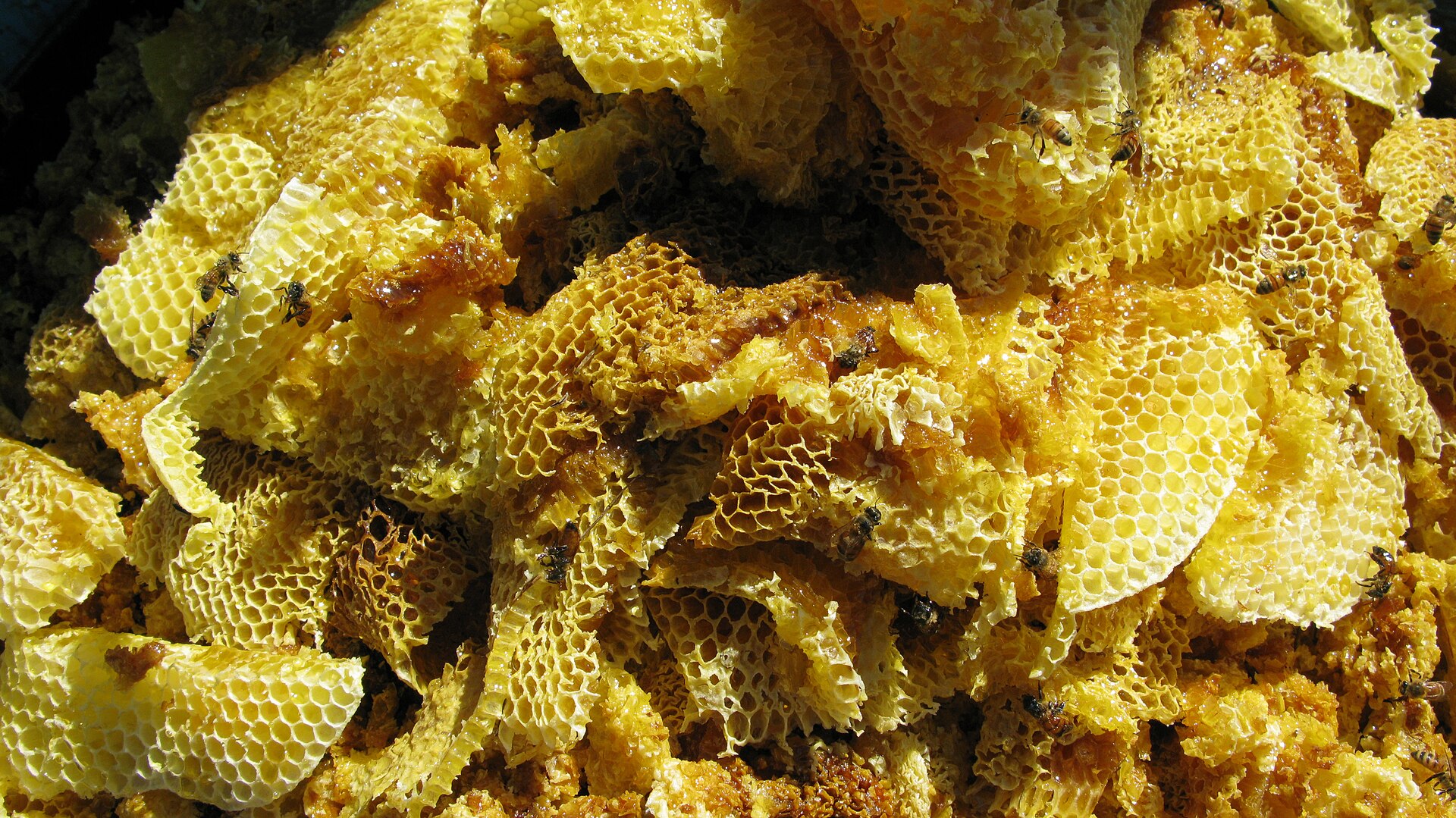
Fresh honeycomb, full and dripping, in a market in the Shan Hills of Myanmar

Why I’m building it

I wanted a player that treats a big library as the point, not an edge case: a column browser, proper tags, smart playlists, and play counts that mean something after ten years.

On a Mac, the ones I liked either weren’t native or slowed to a crawl once the library got big. So I started writing my own, in Rust, with its own audio engine.

Every build gets measured against a generated 100,000-track library: startup, search, sorting, scrolling and idle CPU. If a change makes those worse, it doesn’t ship.

Honeycomb is free and open source under the GPL, and it will stay that way. Next come Linux builds, Last.fm scrobbling, and syncing to USB drives and players.

n1ji

Makes Honeycomb

Common questions

Yes. It’s free and open source under GPL-3.0-or-later. No account, no subscription.
On a 100,000-track test library on an M1 Pro, it shows the list in under a second, searches in about 65 ms per keystroke and sorts by title in about 70 ms.
MP3, FLAC, AAC and ALAC in M4A, Ogg Vorbis, WAV and AIFF. All of them play gaplessly.
It never moves or deletes them. Tags are written only when you press Save in the tag editor. Ratings and play counts live in Honeycomb’s own database.
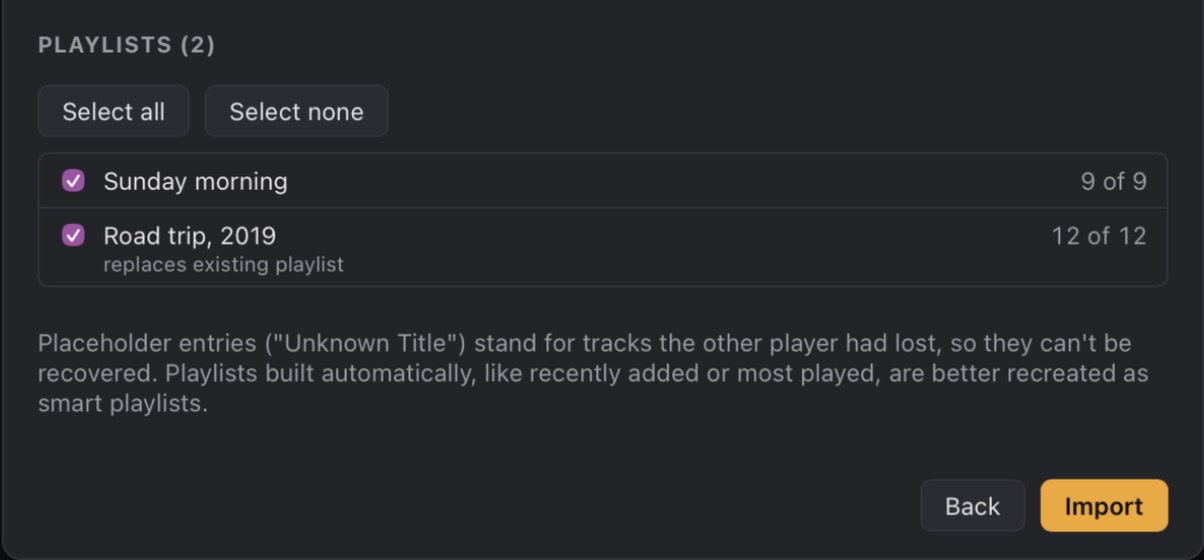
Yes. Export an iTunes-format library XML, which most players can do, plus any M3U playlists. Ratings, play counts, play dates, loved tracks and playlists come across.
Not yet. Mac and Windows builds exist now. Linux builds, as AppImage, .deb and .rpm, are planned for November 2026.
That’s December’s work: now-playing updates, scrobbles by Last.fm’s rules, and a queue for songs played offline.
Planned for January 2027. Pick playlists, copy only what changed, and get M3U files with relative paths that car stereos can read.
Alpha builds aren’t signed yet. The first time, open Honeycomb and close the warning, then go to System Settings → Privacy & Security and click Open Anyway. You only need to do this once.

Yes. It’s free and open source under GPL-3.0-or-later. No account, no subscription.

Get the alpha,
free on GitHub

Builds for Mac and Windows. They aren’t signed yet, so the first time you open Honeycomb on a Mac, allow it in System Settings → Privacy & Security → Open Anyway.